Setting and Calculating Luxury Car Tax in AssetManager Pro
Overview
AssetManager Pro automates the calculation and accounting of Asset Purchases/Acquisitions where Luxury Car Tax applies to a Motor Vehicle (including applying the specific thresholds for Fuel Efficient Vehicles)
Related Articles
- AssetManager Pro 2015 (v4) LCT Threshold Updates
- AssetManager Pro 2016 (v5) LCT Thresholds Updates
- AssetManager Pro LCT Threshold Tables
- AssetManager Pro LCT Calculations and Formulas
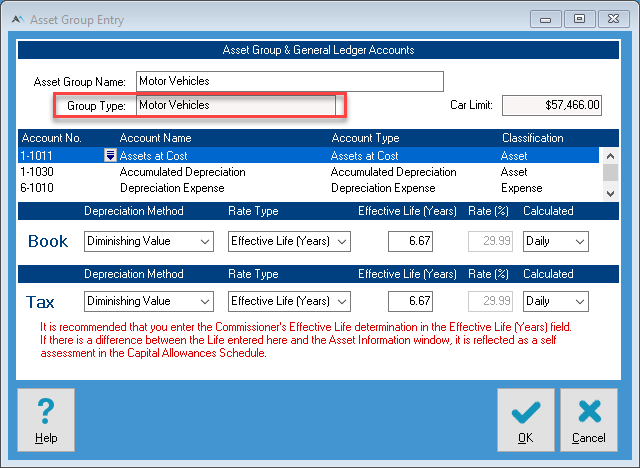
Based on Assets set against Asset Groups - Motor Vehicle
You will see the the LCT options and thresholds when adding a asset that is assigned to a Asset Group of type Motor Vehicle.
Fuel Efficient Vehicles
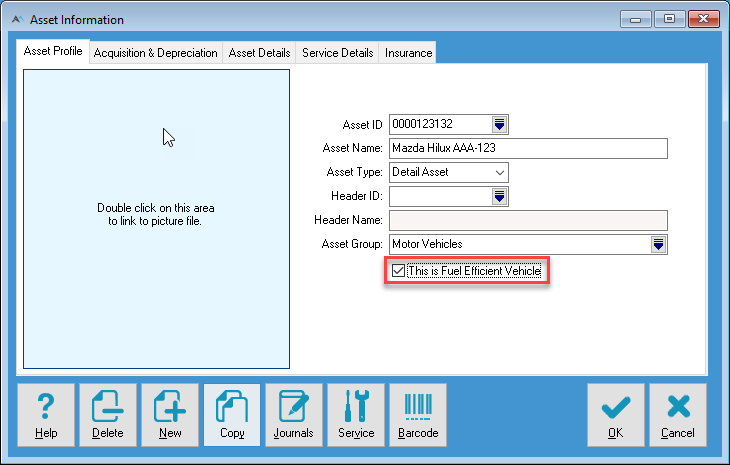
If the asset is Fuel Efficient you can indicate that when entering/editing an Asset in the Asset Profile.
Applied LCT Threshold and Tax Calculation
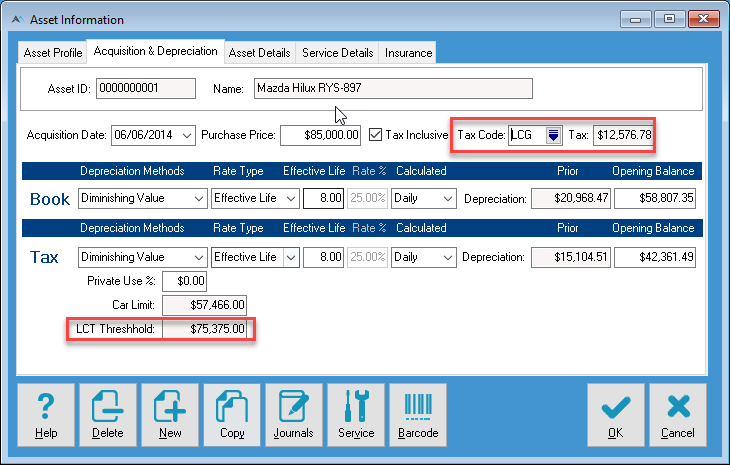
In the Acquisition and Depreciation tab if the Acquisition Cost exceeds the Threshold it will display that threshold and if a Tax Code that includes Luxury Car Tax is applies that threshold will be used in the calculation of LCT.
Accounting for LCT
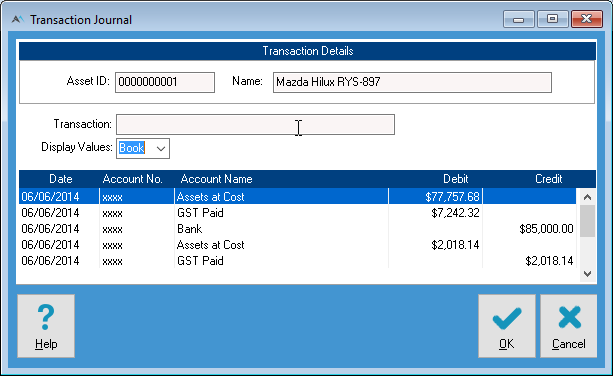
With the LCT Threshold applying and the appropriate LCT tax code applied - AssetManager Pro then provides the journal that can be entered into the Accounting system to reflect the Acquisition and the coding for LCT